

The branded client experience platform built for MSPs.
Give every client a white-labelled helpdesk app on their desktop and a full client portal — with real-time ticket visibility, secure messaging, and proactive outage alerts — all branded as your own.
The Value You’ll Get From Investing
End-user engagement first. Higher utilisation. A CloudRadial alternative built to be used—not just purchased.
Choose the CloudRadial Alternative Built for Engagement.
A CX investment only pays off when end users use it. Put your branded helpdesk on their desktop—not just behind a portal link—and make utilisation the measure of success.
Aim for 50%+ Ticket Utilisation, Not an Unused Portal.
With two support channels—phone for urgent issues and Invarosoft CX for non-urgent requests—our published comparison reports 50%+ ticket utilisation. Give users a clear route into your service.
Five Minutes per Ticket Can Mean 83 Hours Back.
If structured ticket submission saves five minutes across 1,000 tickets a month, that’s over 83 hours of team capacity. Capture the details up front instead of repeatedly chasing users for information.
Put Your Brand on Five Everyday Platforms.
Reach end users on Windows, Mac, iOS, Android and Microsoft Teams. Keep your MSP easy to find wherever clients work, rather than depending on them remembering a web address.
Reduce the Calls That Don’t Need an Engineer.
Give clients live ticket status, approvals, reports and a service catalogue in one place. Help users find answers and take action without another call or email to your service desk.
Make Your Service Visible Between Support Tickets.
Bring client reports, Microsoft 365 insights and their technology roadmap into your branded experience. Show more of the value you deliver and give clients more reasons to engage with your MSP.
50%+ utilisation reflects Invarosoft’s published two-channel comparison, not a guaranteed result. The 83-hour example assumes five minutes saved across 1,000 monthly tickets. See the comparison.
How Invarosoft CX Works
Put your brand on every desktop. Simplify support. Keep clients engaged.
One pane of glass for every IT service your clients receive
The Invarosoft CX client portal gives every client a single, beautifully branded destination for everything IT — Tickets, Approvals, a vCIO dashboard, Service Catalog, Network visibility, Knowledgebase, Feedback, and more. No more chasing emails or fumbling between tools. Clients see the full picture of their IT services clearly, and you deliver a premium, professional experience that keeps them confident, engaged, and loyal.
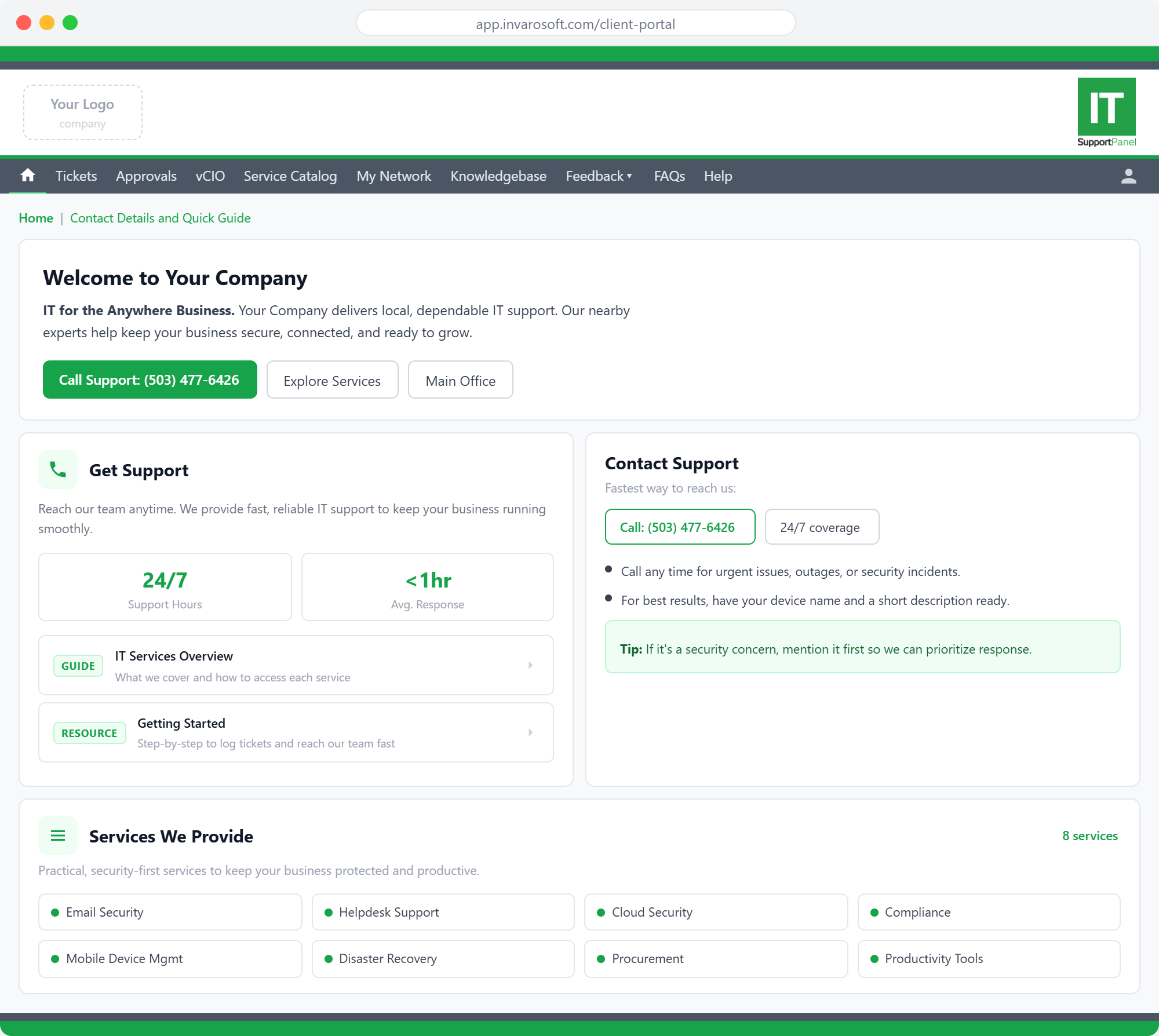
Your brand. Your colours. Your client portal.
Every element of the client portal carries your MSP's identity — your logo, your colours, your name. Clients see your brand, not ours. Here are a few examples to show what's possible.
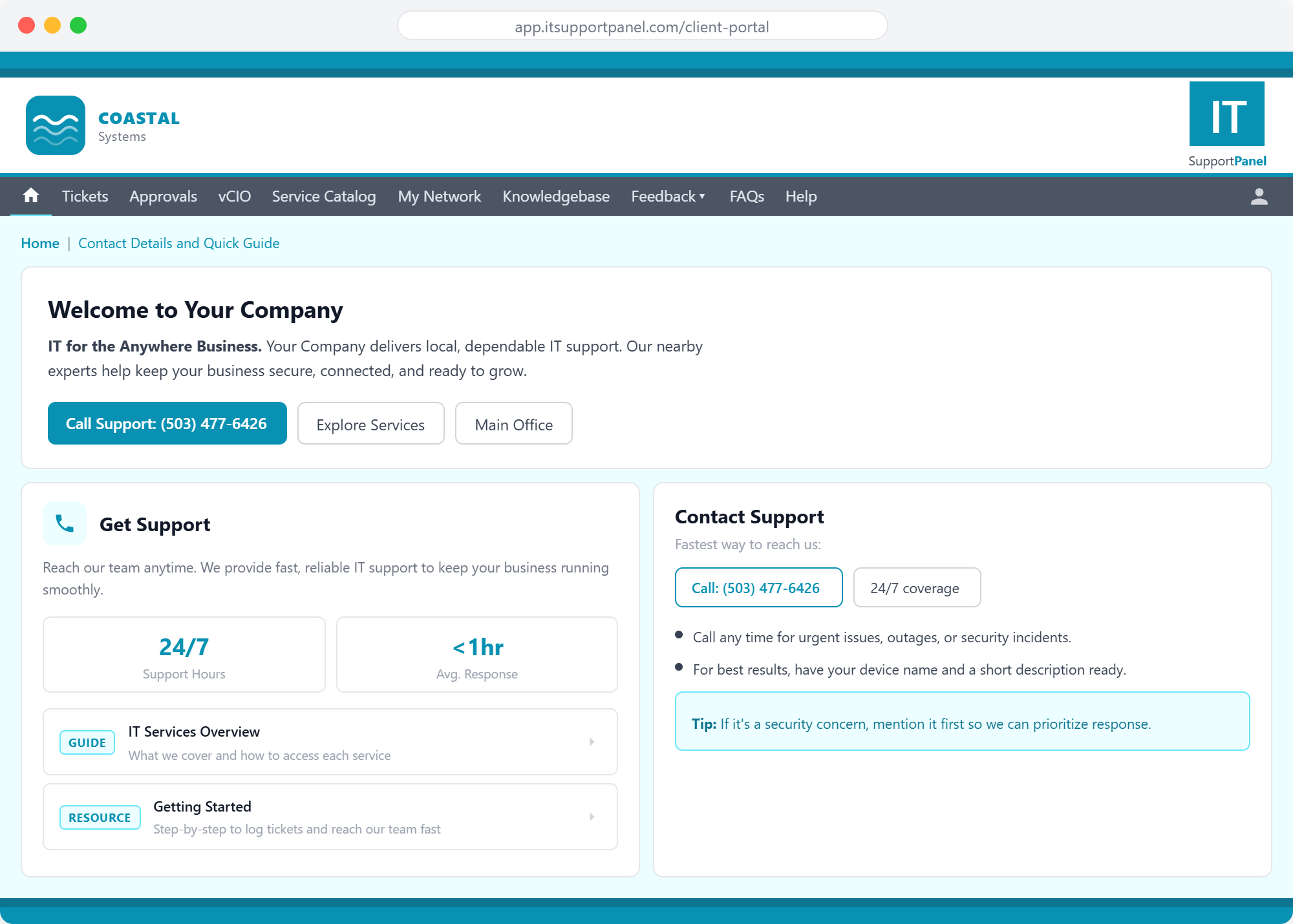
Coastal Systems
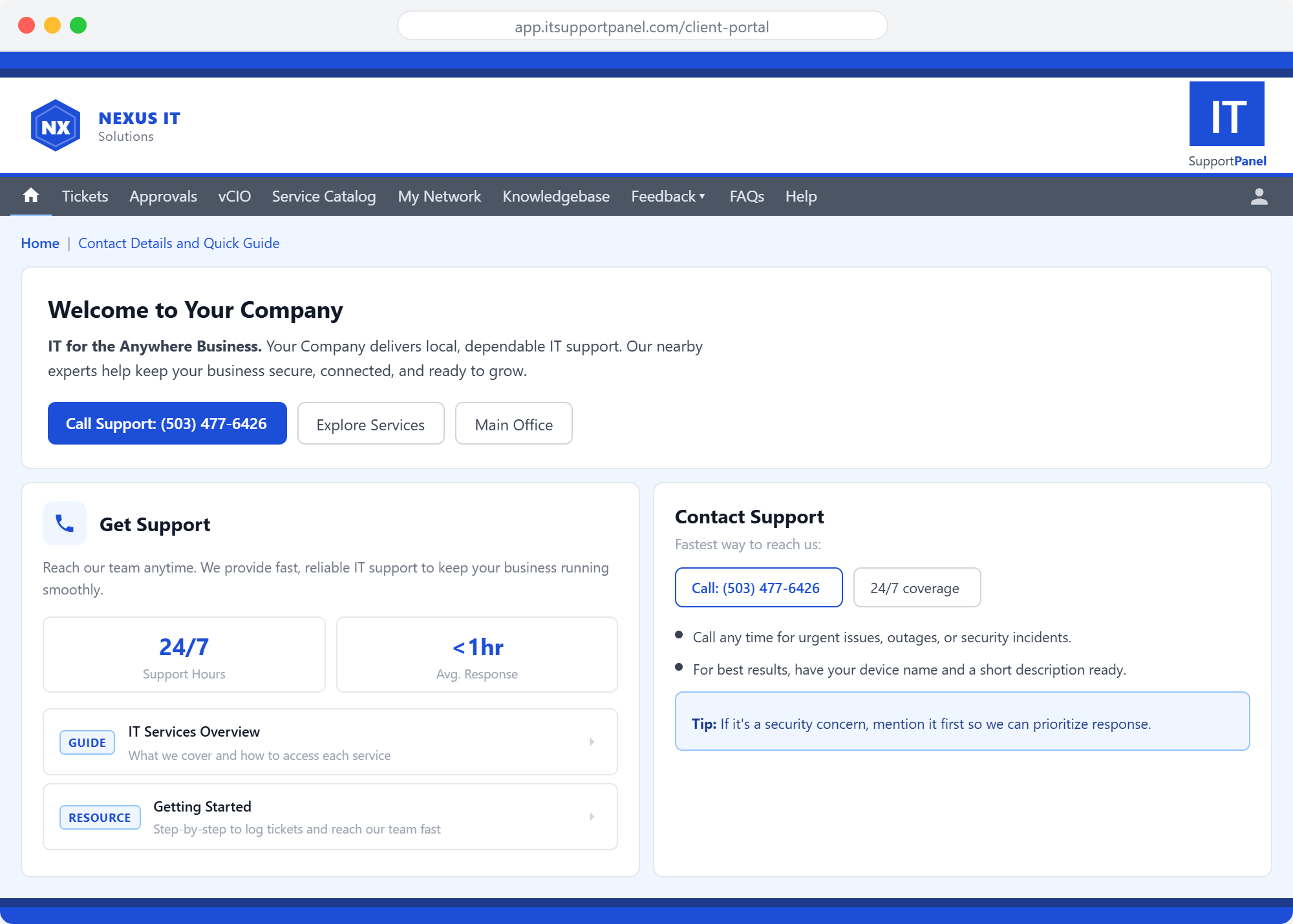
Nexus IT
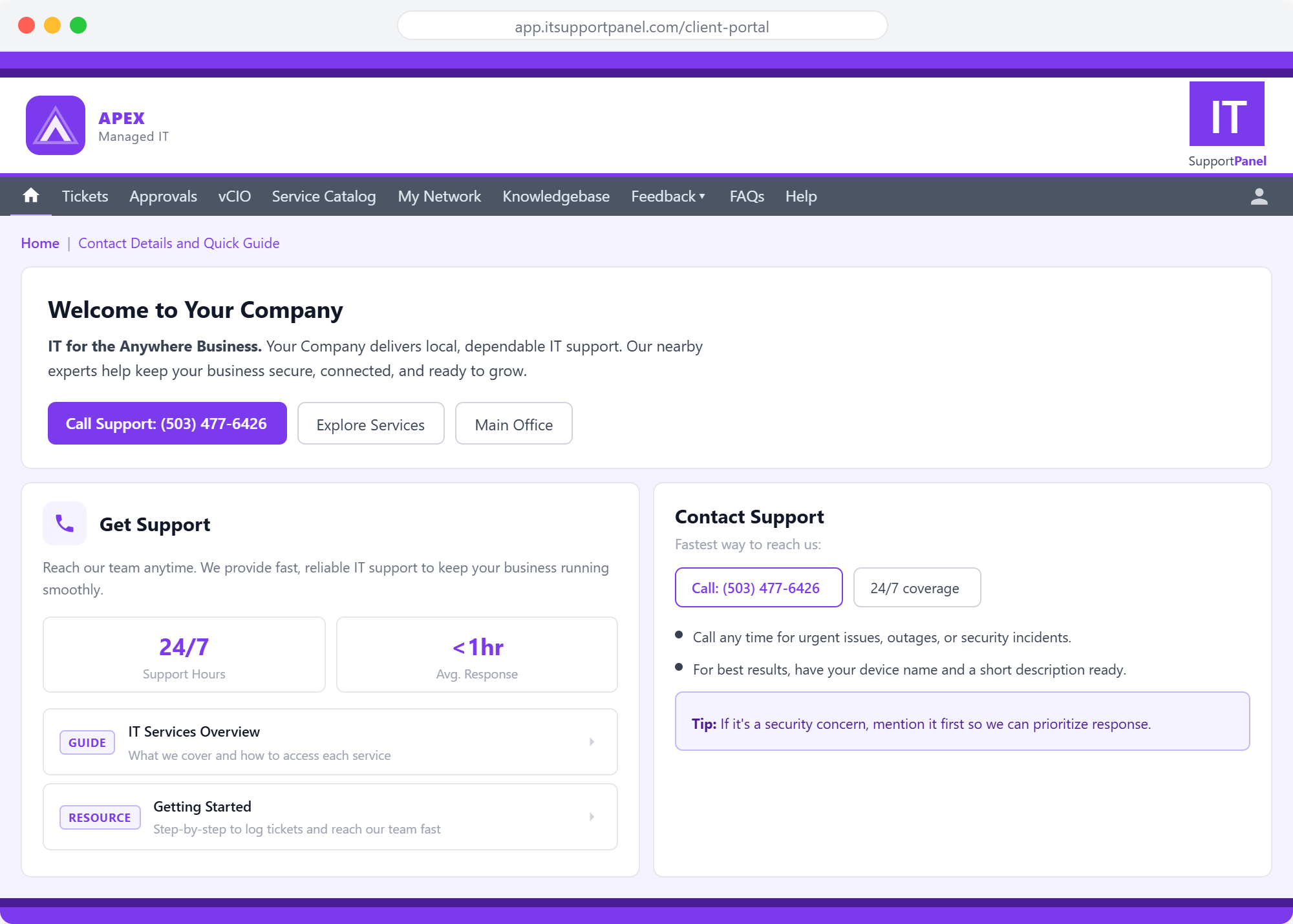
Apex Managed IT
Upload your logo and choose your brand colours — the portal updates instantly, no design skills required.
A branded helpdesk app, right on your client's desktop
ITSupportPanel puts your logo front and centre on every client's desktop — available on Windows, Mac, iOS, Android, and Microsoft Teams. Sitting in the system tray, it gives users instant one-click access to log tickets, chat with your team, view company news and outage alerts, access their business apps, pay invoices, and browse eLearning — all without opening a browser. Your brand, on their screen, on every device, every single day.
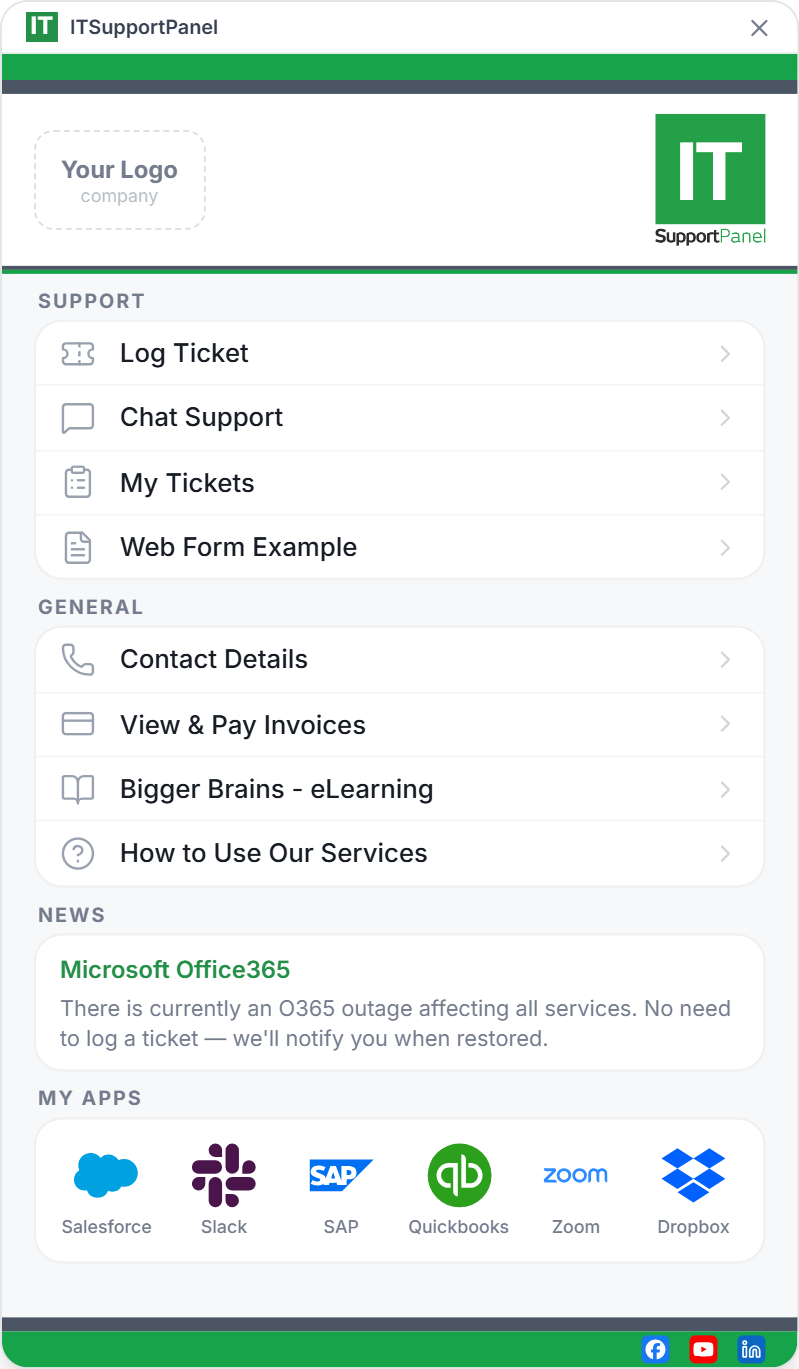
A helpdesk app your clients will recognise as yours.
ITSupportPanel puts your logo and brand colours front and centre on every client's desktop — in light or dark mode. Your identity, reinforced every single day.
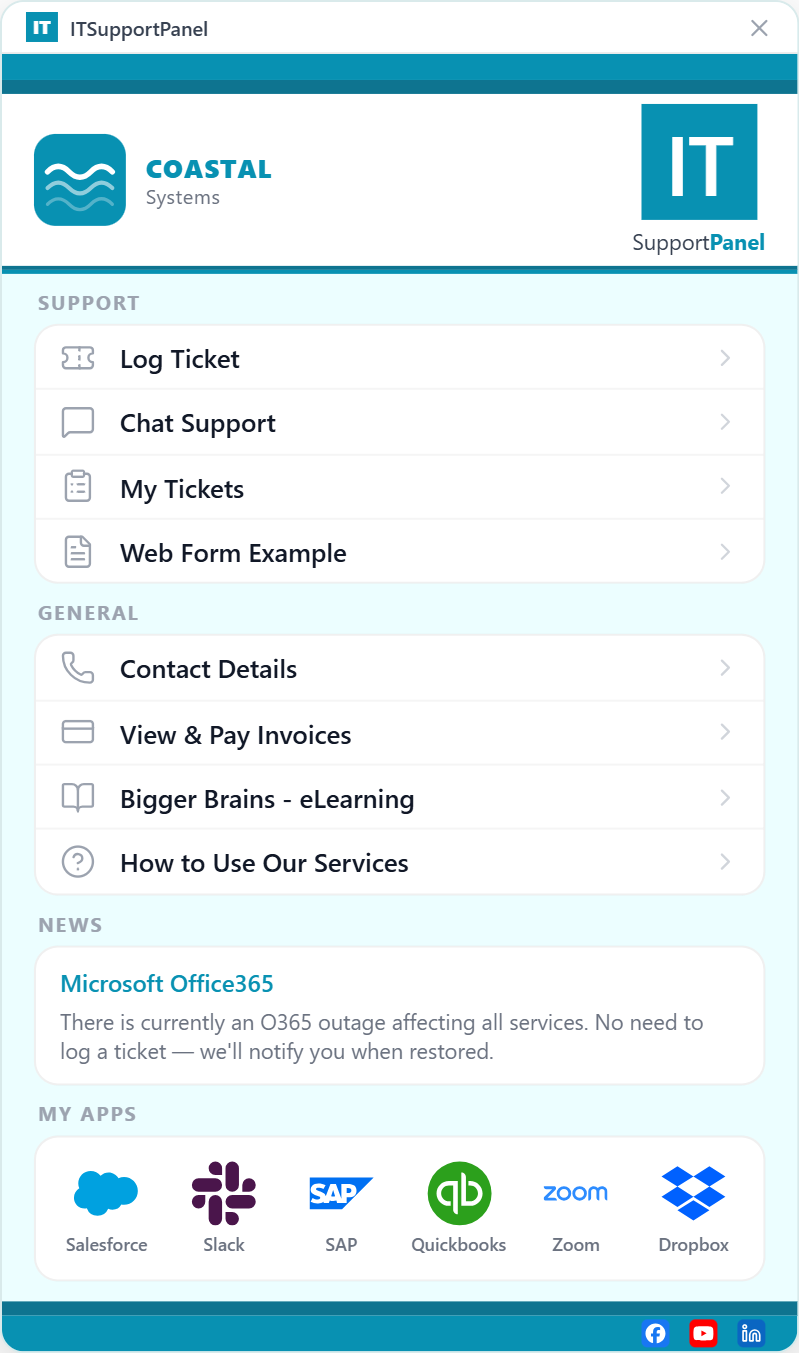
Coastal Systems
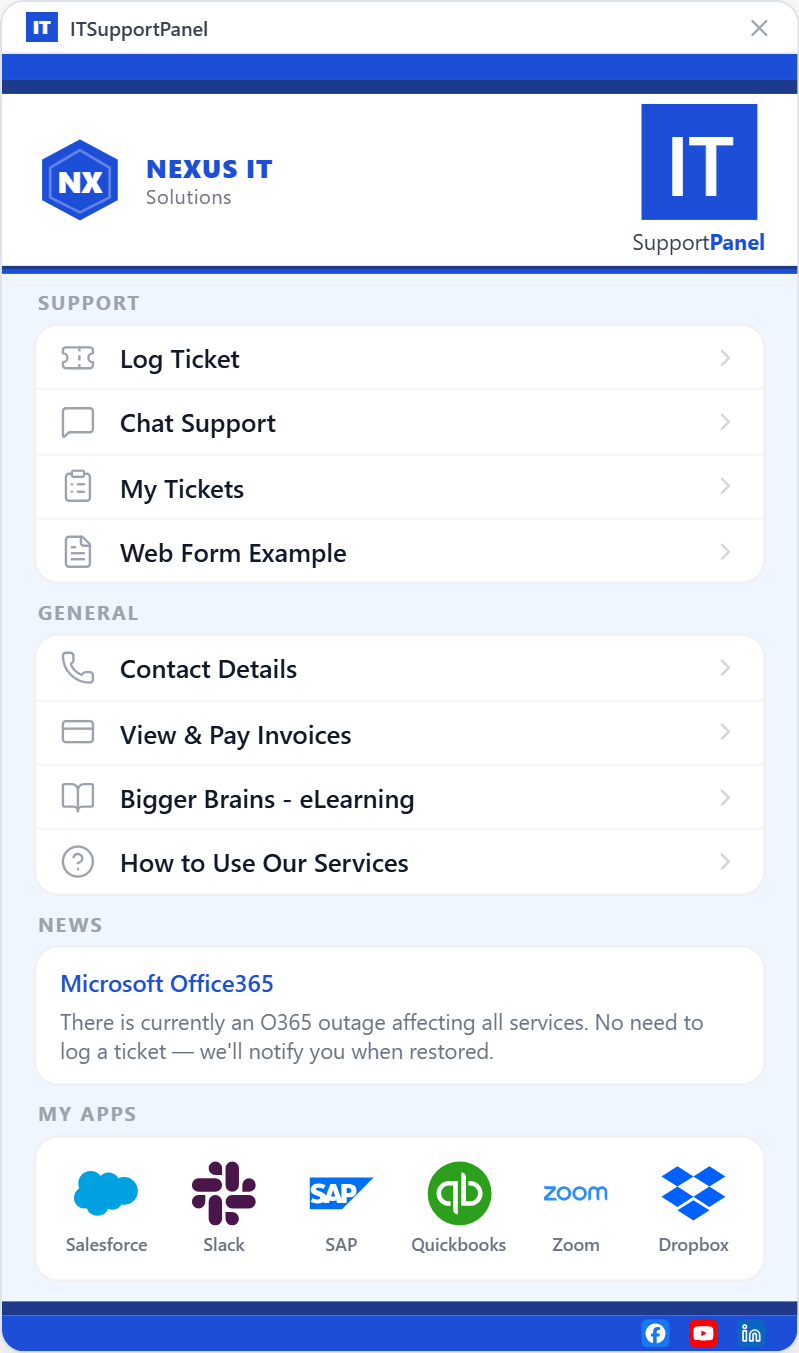
Nexus IT
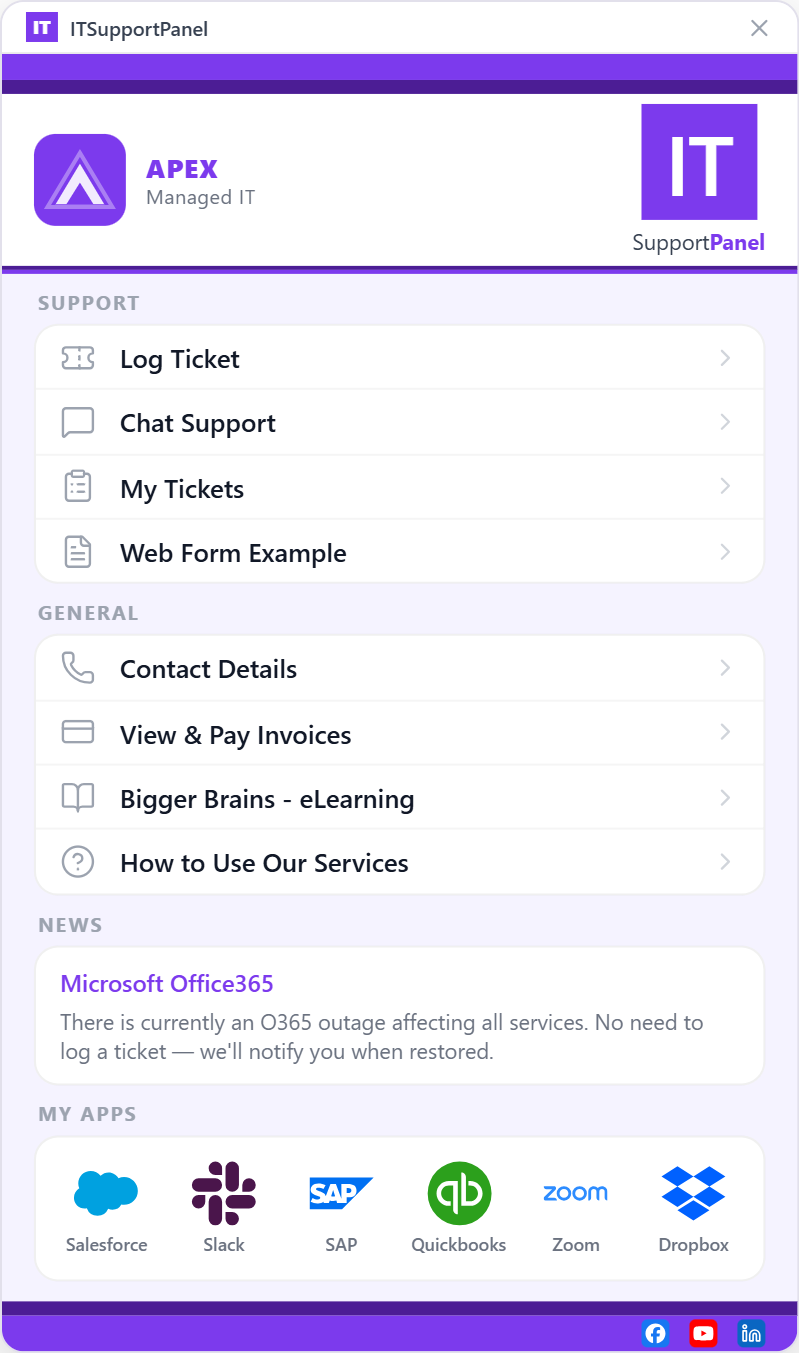
Apex Managed IT
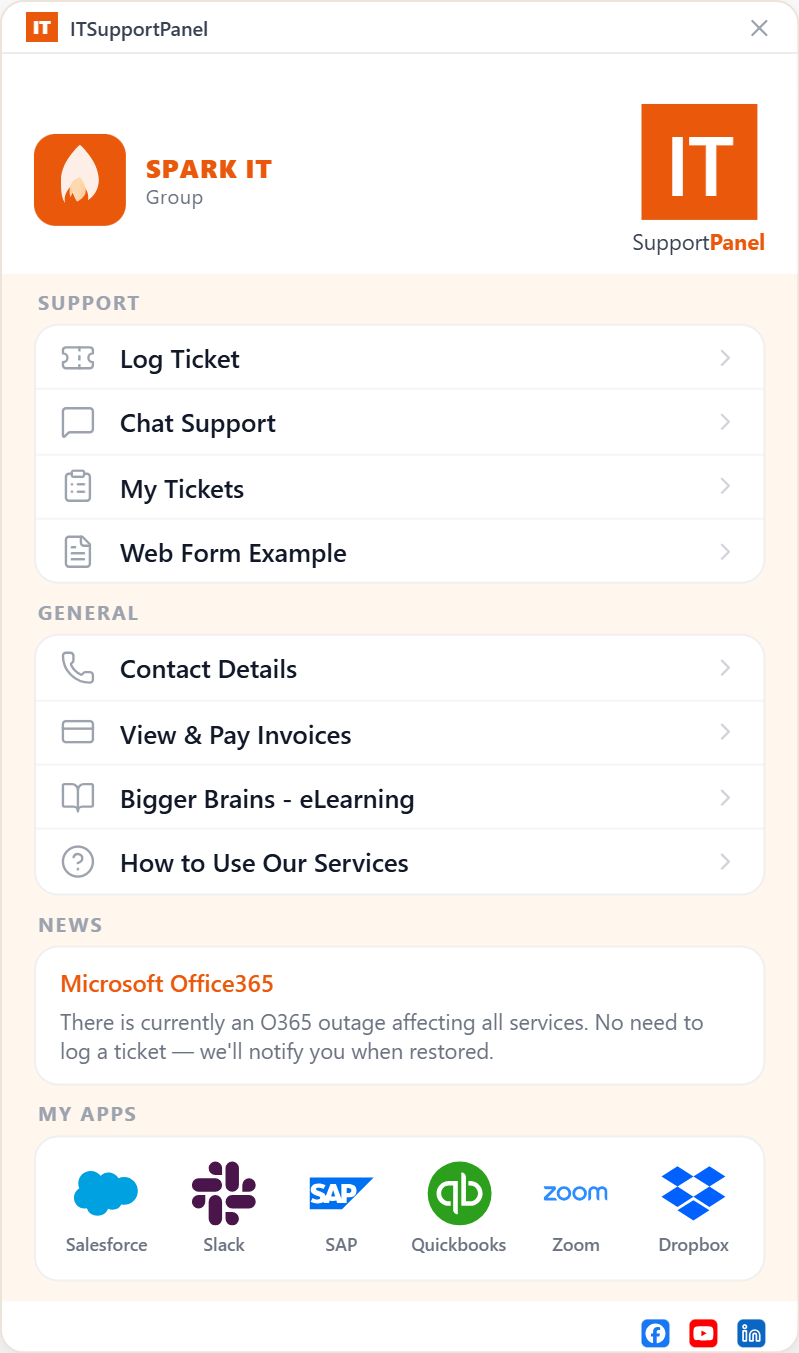
Spark IT Group
Light and dark mode supported — clients choose the experience that suits them.
The engineer app built for your team, not your clients
ITControlPanel is the engineer-facing companion to Invarosoft CX — giving your technical staff instant access to Live Chat, Identity Security verification, Secure Messaging, Schedule Appointments, and Push Messaging from a single interface. Available as a web app accessible in any browser, or installed as a local app for instant access from the desktop. Everything your engineers need, right at their fingertips.
See it in action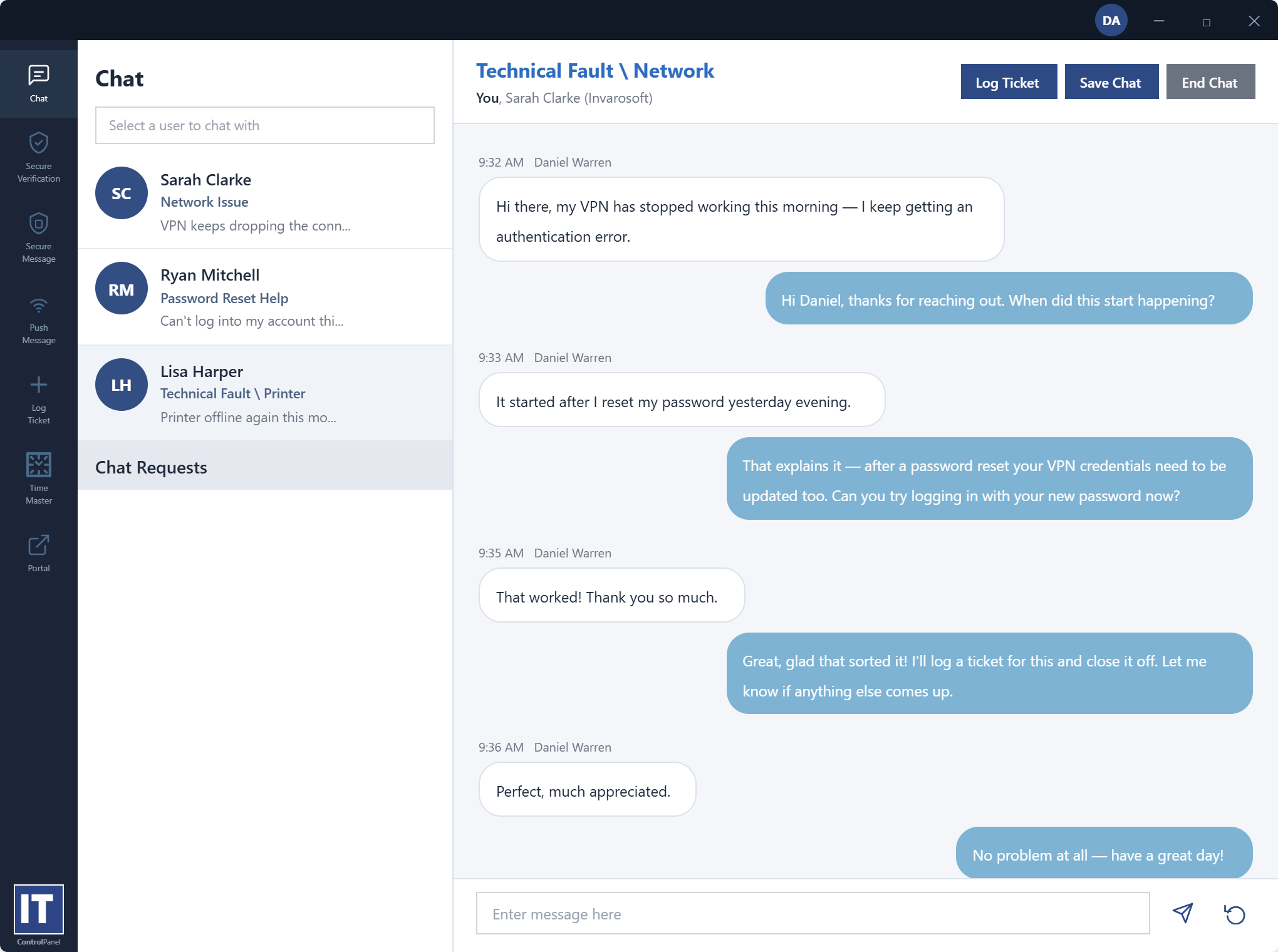
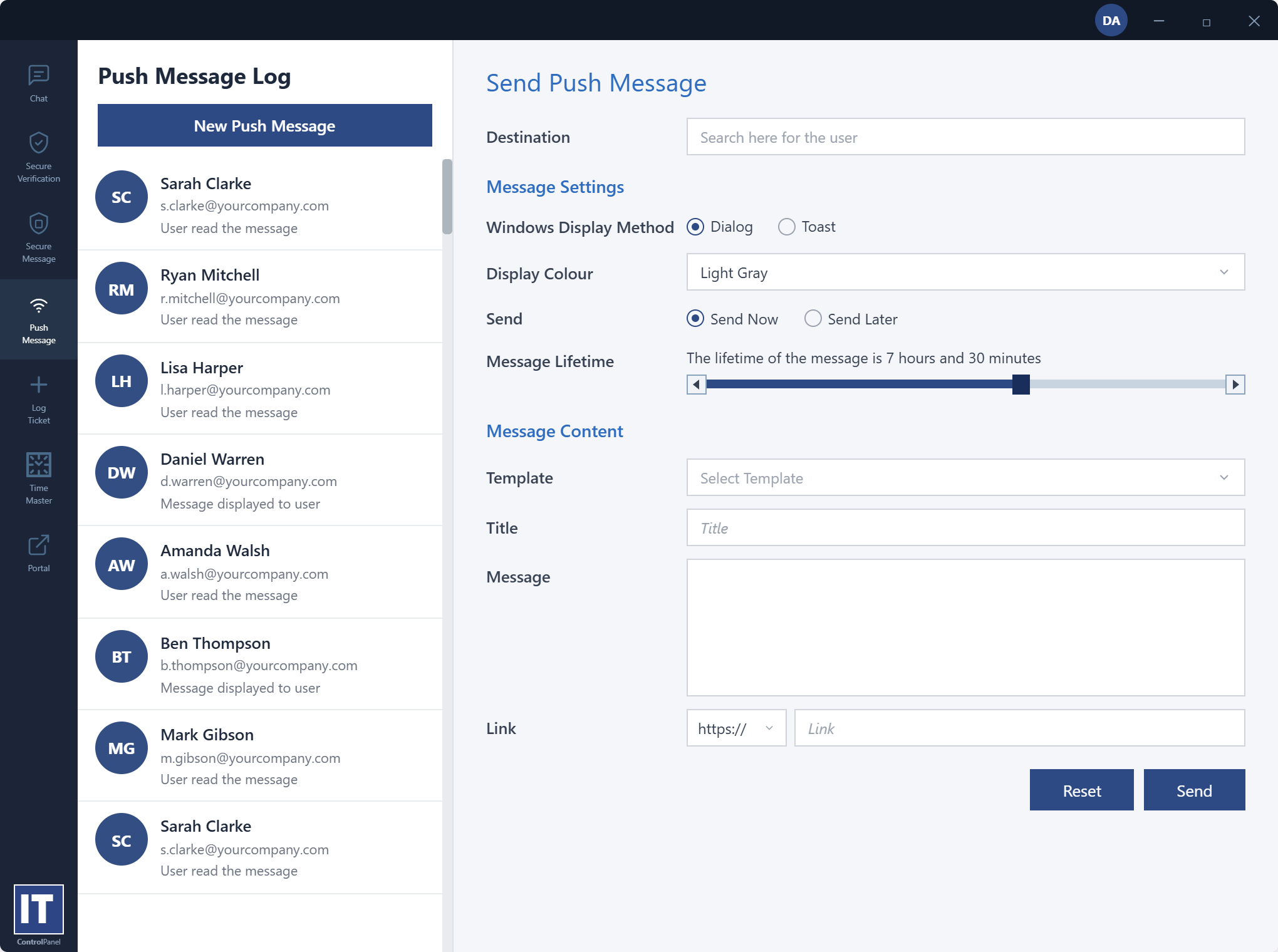
Push Messaging
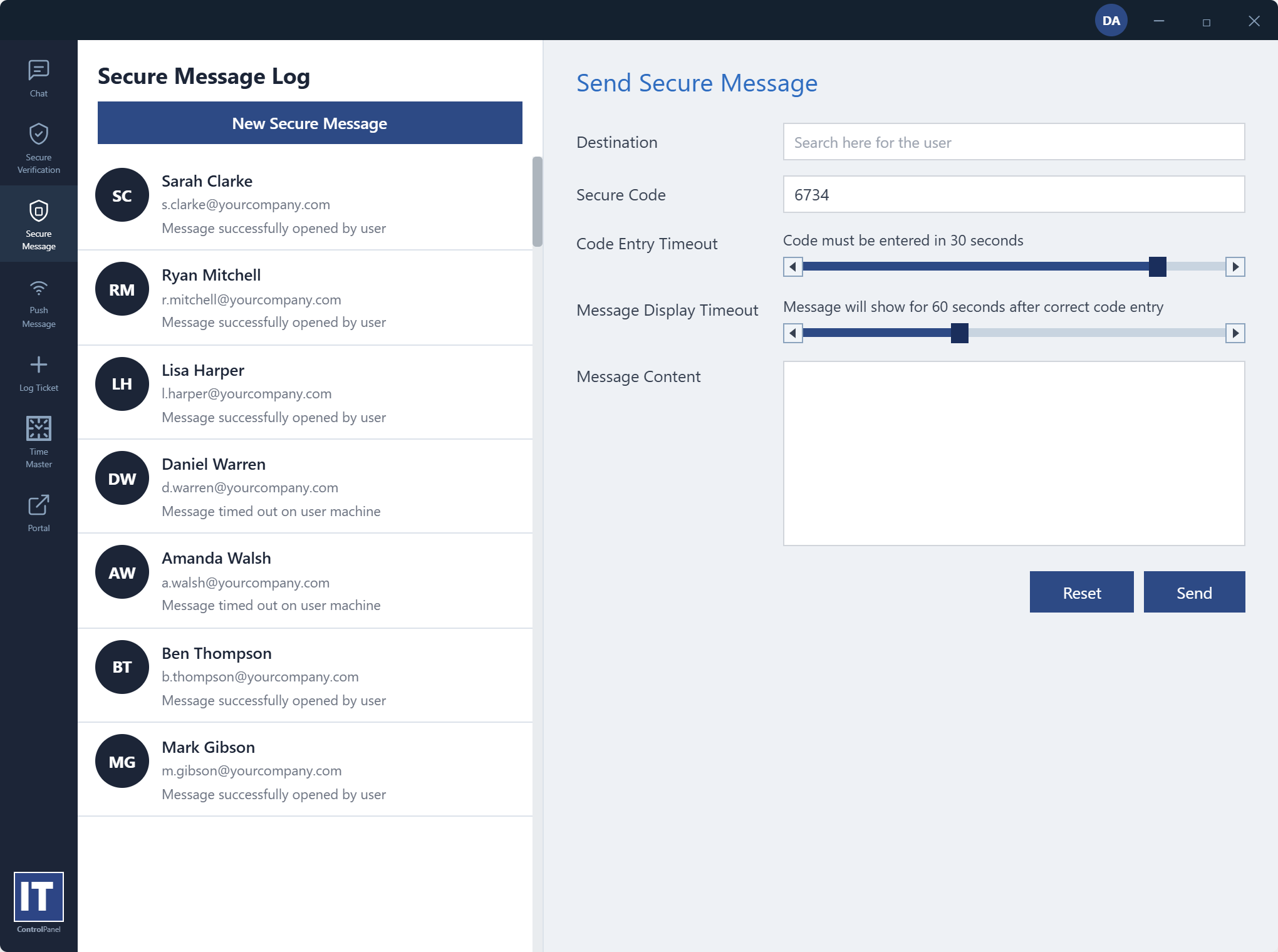
Secure Message
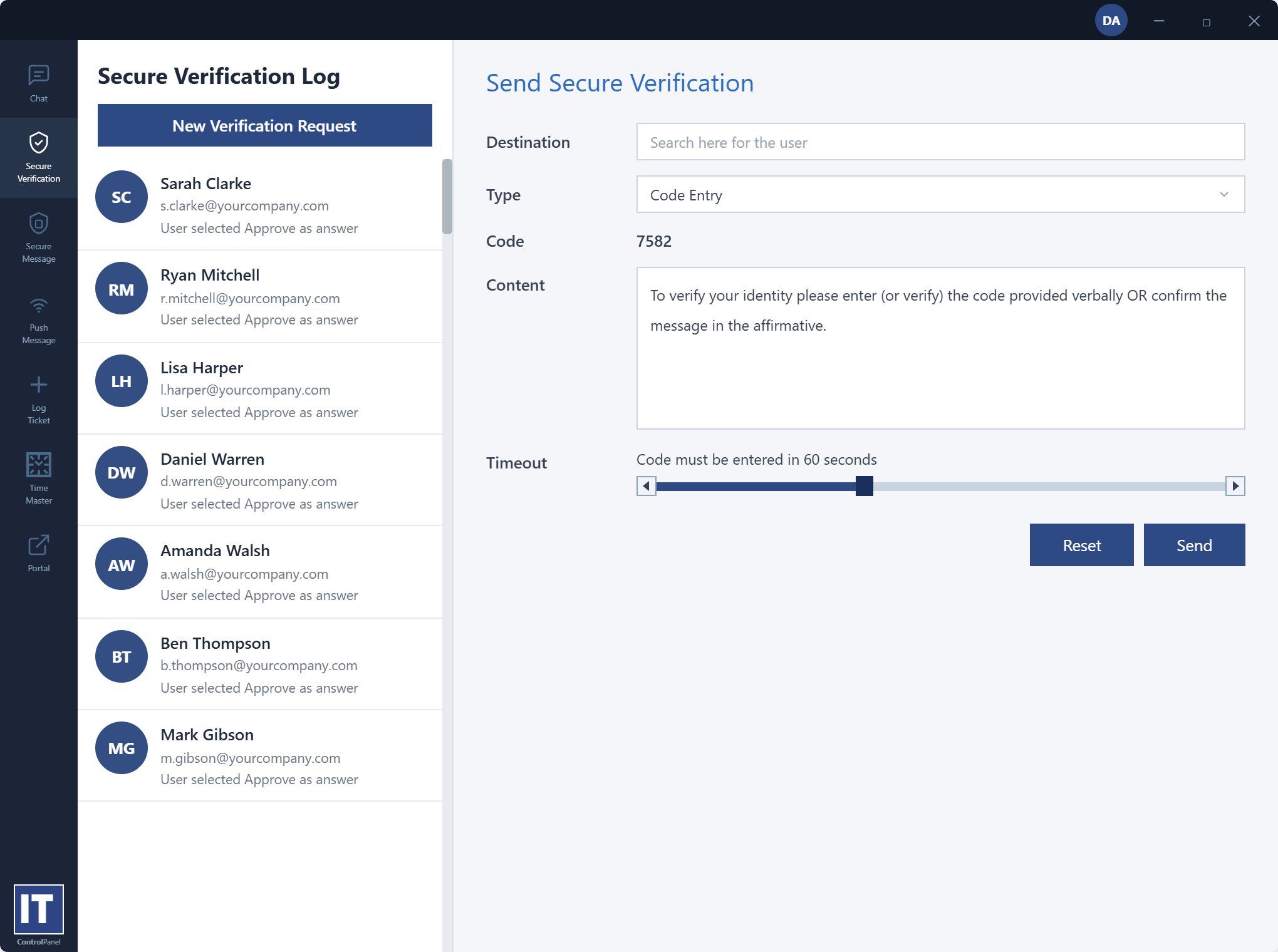
Identity Security
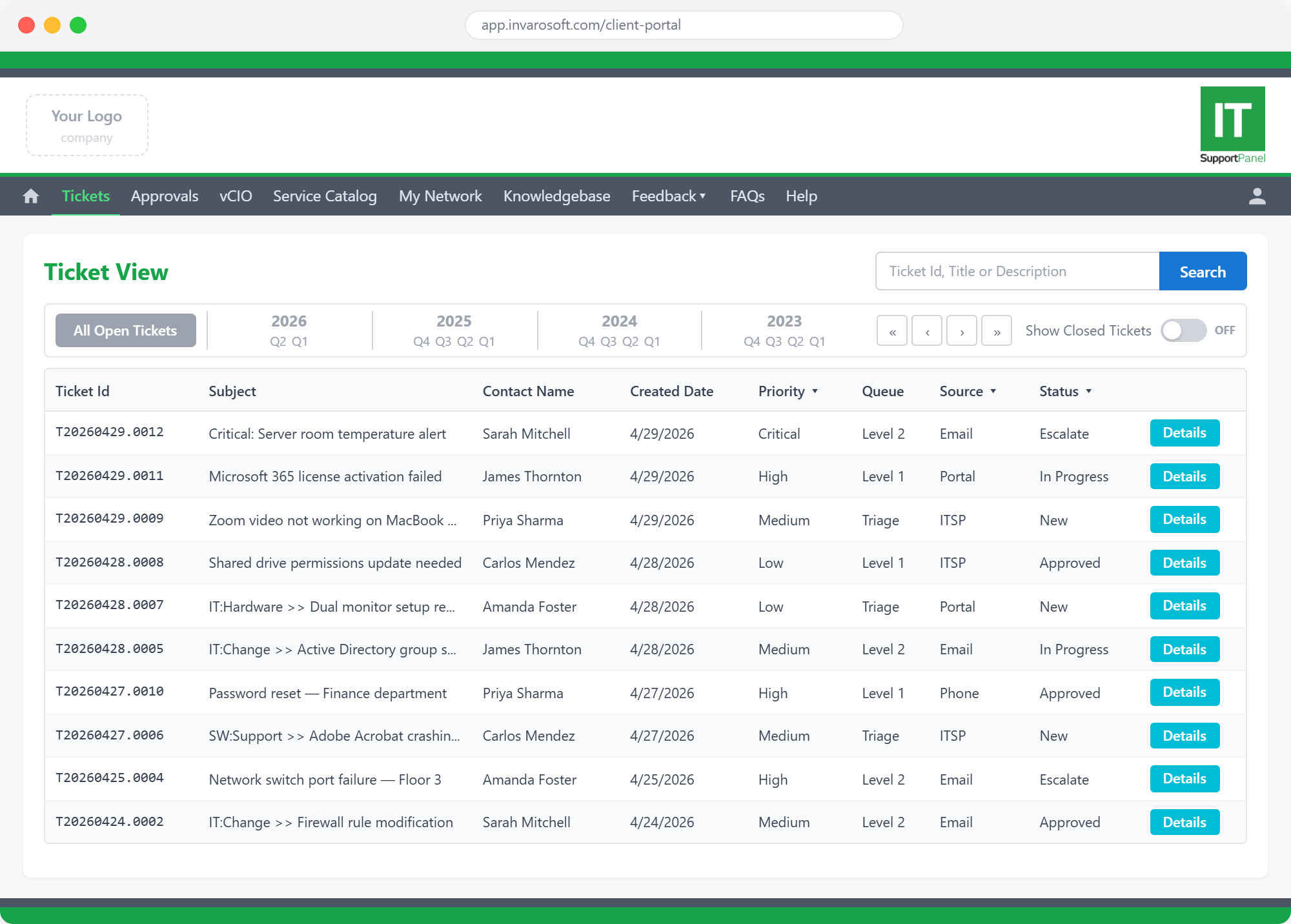
Real-time ticket visibility — no more 'what's the status?' calls
Give clients a live view of every open, in-progress, and resolved ticket — searchable by ID, subject, or description, and filterable by priority, queue, source, and status. Complete historical records by year and quarter mean clients always have the full picture. Fewer inbound status calls, better-informed clients, and a professional experience that builds lasting trust.
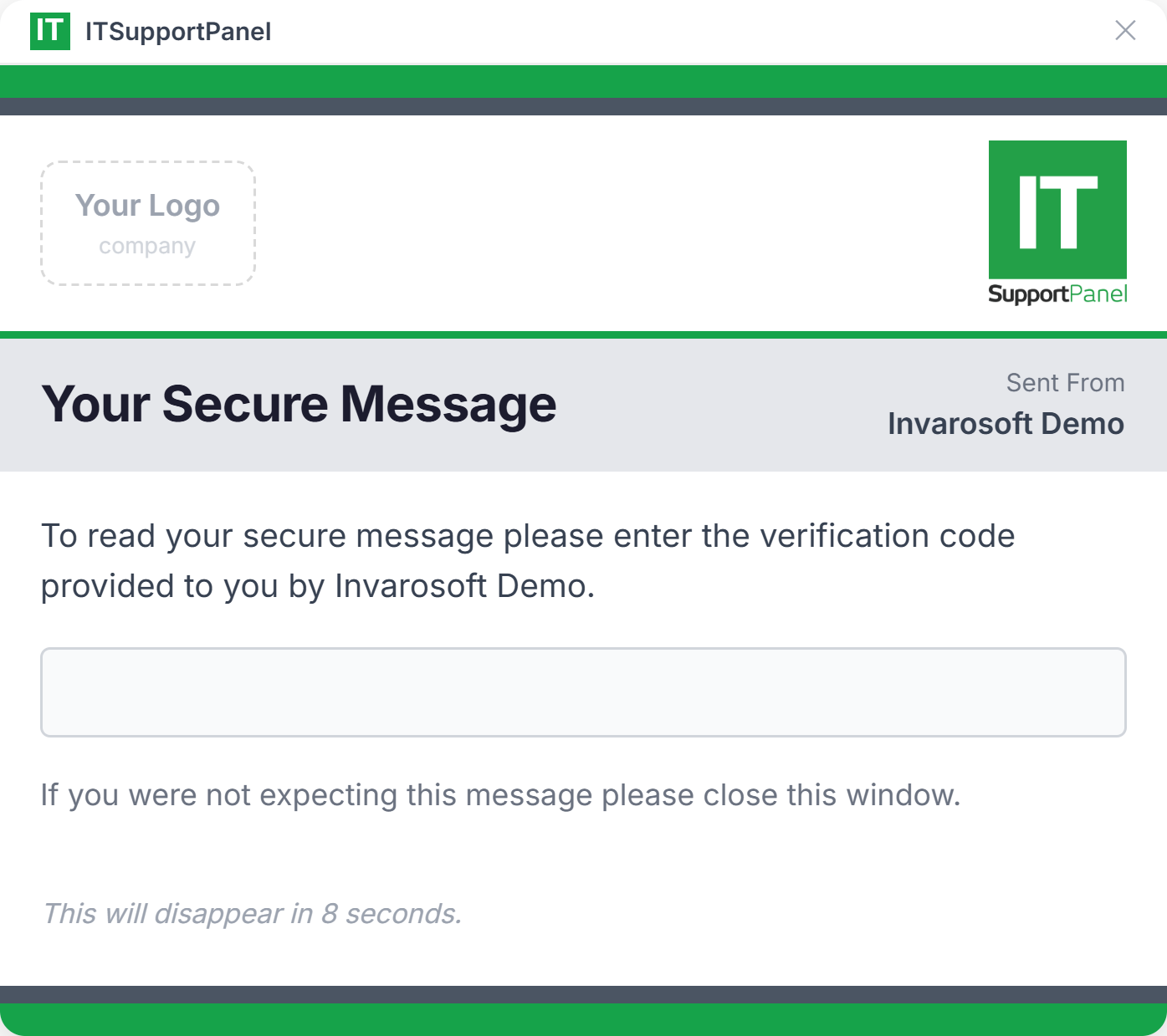
Share sensitive data securely — not over email
When you need to deliver credentials, passwords, or confidential information, Secure Messaging lets you send encrypted, verification-code-protected messages directly through the portal. Recipients confirm their identity before the message is revealed, and it auto-expires after viewing — leaving no trace. The professional, secure way to handle sensitive client communications.
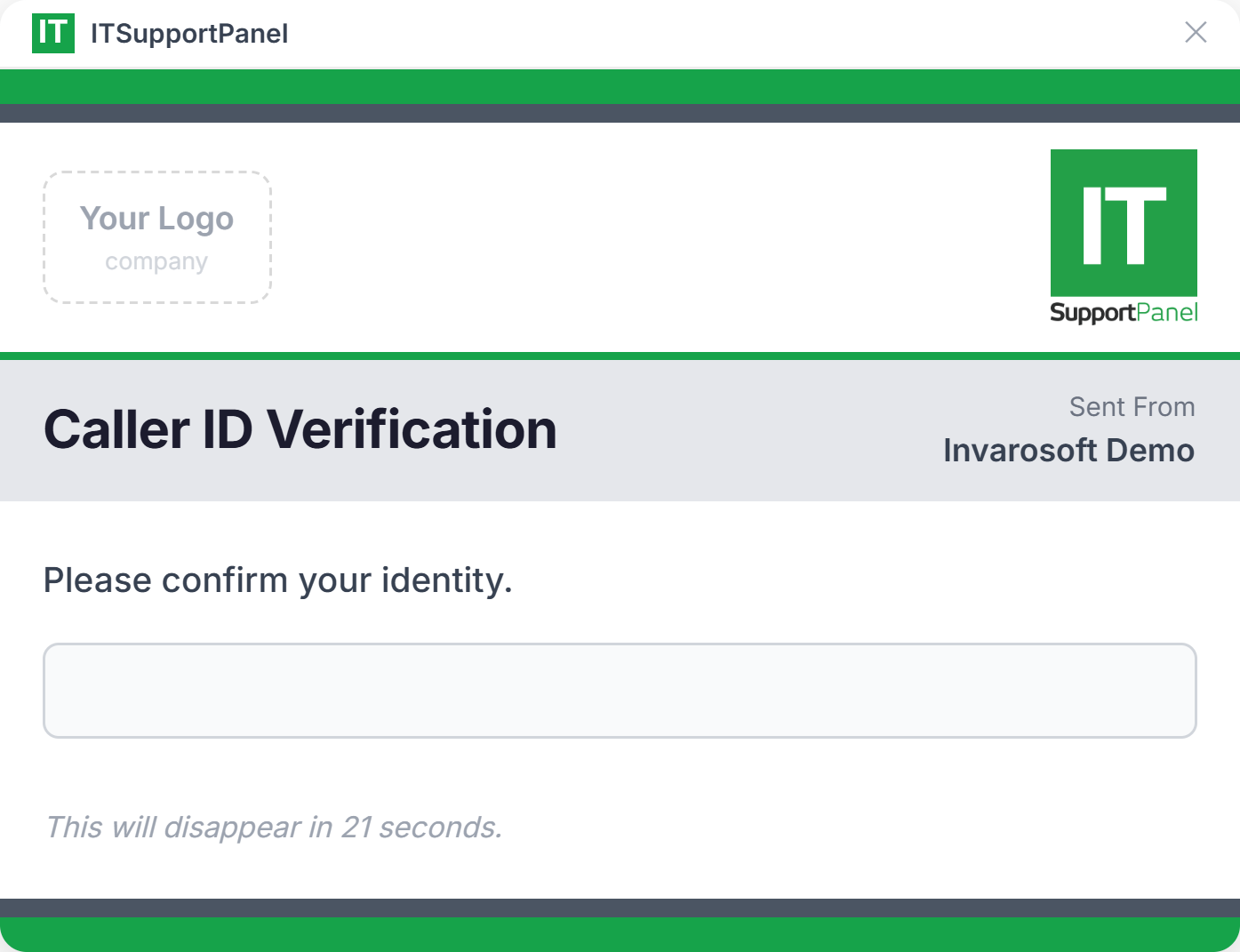
Verify caller identity before every support interaction
When a client calls your helpdesk, Invarosoft CX instantly pops a Caller ID Verification prompt on their screen — requiring them to confirm their identity before your team engages. This adds a critical layer of social engineering protection, prevents impersonation attacks, and keeps your support interactions secure, compliant, and auditable.
Keep clients informed before they reach for the phone
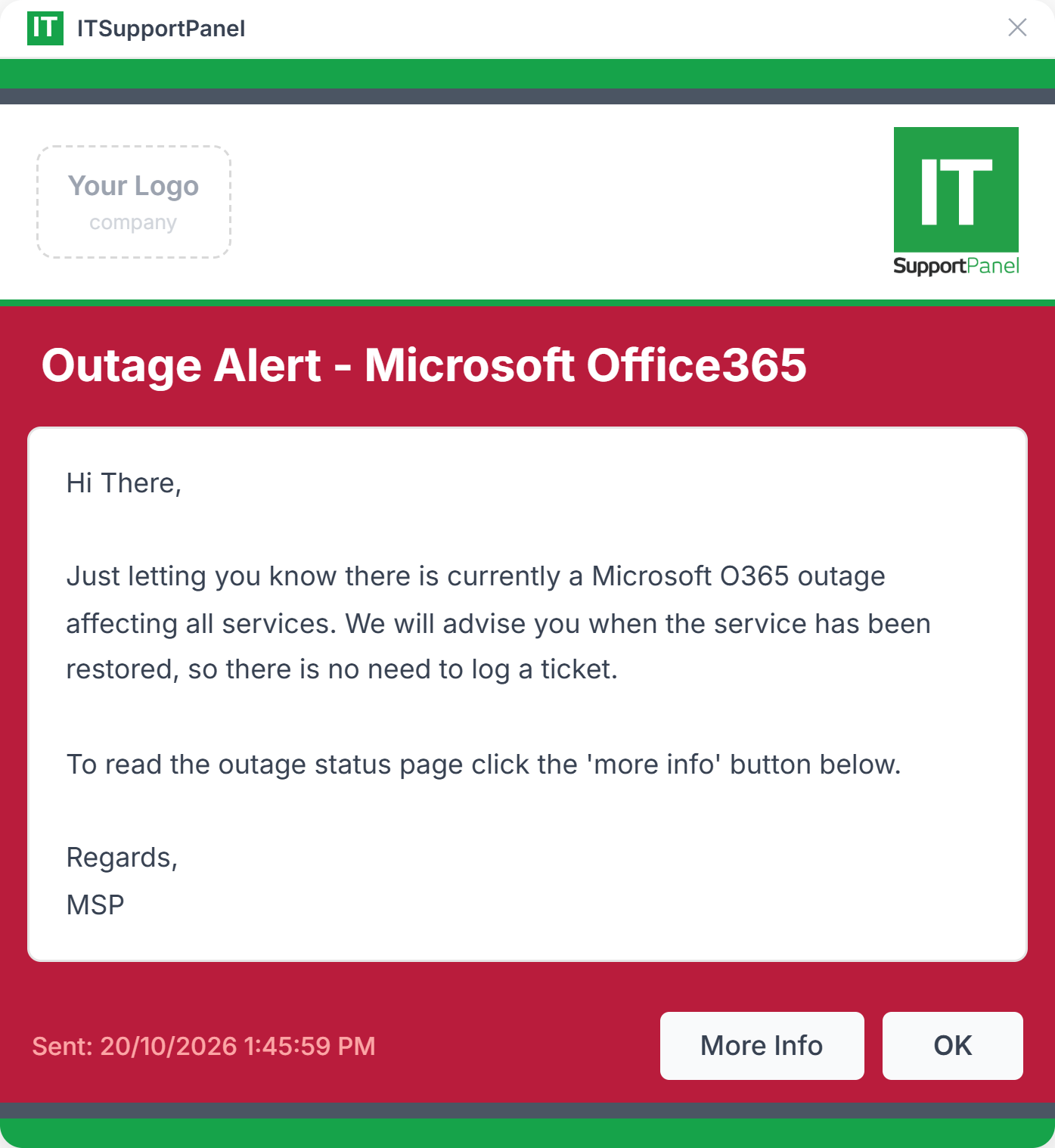
When an outage strikes — Microsoft 365, your clients' network, or any critical service — Invarosoft CX pushes a branded notification directly to every affected client's desktop with your full message and a link to the status page. Clients know you're on it before they even think to call. Fewer inbound tickets, higher trust, and a proactive reputation that sets you apart from every other MSP.
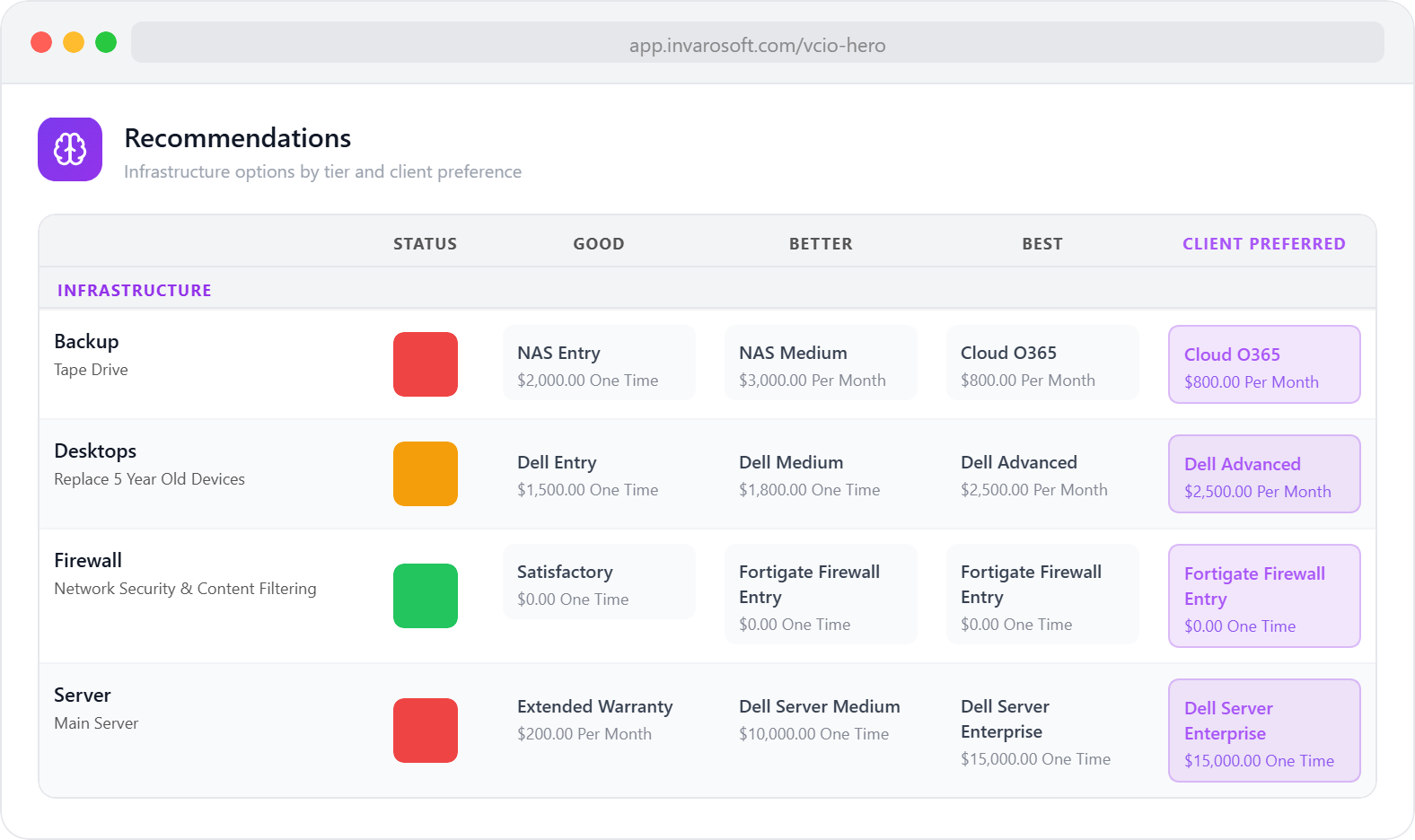
Strategic IT advisory, built right into the client portal
Invarosoft CX is fully integrated with vCIO Hero — so clients can access their ICT Overview, technology roadmap, compliance status, and strategic recommendations directly from their portal. No more PDFs emailed before a QBR. Clients see their IT strategy clearly, anytime they want, presented in a way they can actually understand. It elevates your advisory services and positions your MSP as a true strategic partner — not just a break-fix vendor.
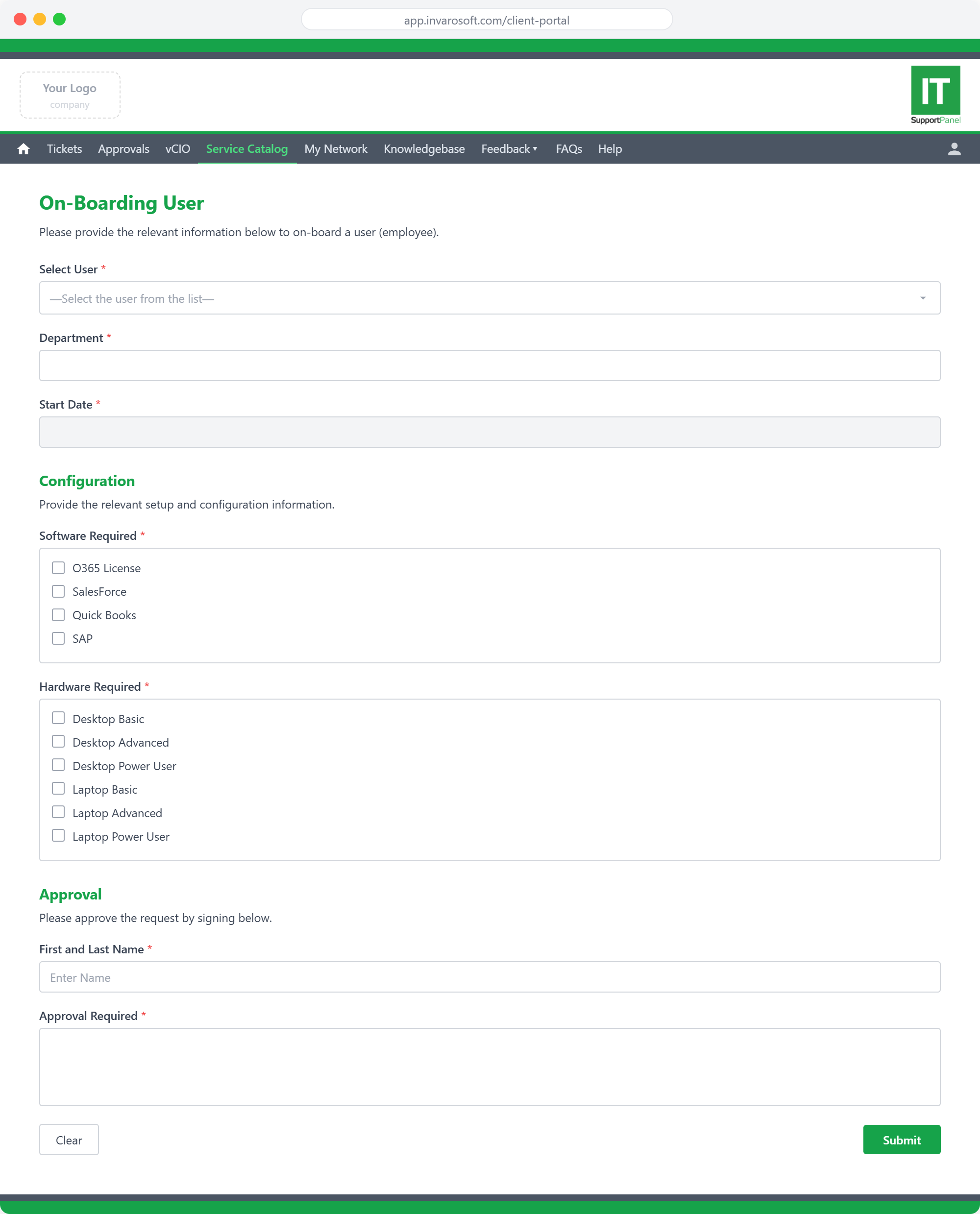
Digital onboarding and offboarding forms — straight from the client portal
Invarosoft CX includes fully customisable onboarding and offboarding forms published directly in the client portal. The forms are responsive — questions adapt dynamically based on each answer, so clients only see what's relevant to them. From selecting the user to onboard, their department and start date, to required software (O365, Salesforce, SAP) and hardware configuration — every step is guided intelligently. Built-in digital approval ensures every request is captured completely and consistently, with no missed fields, no email chains, and no manual follow-up required.
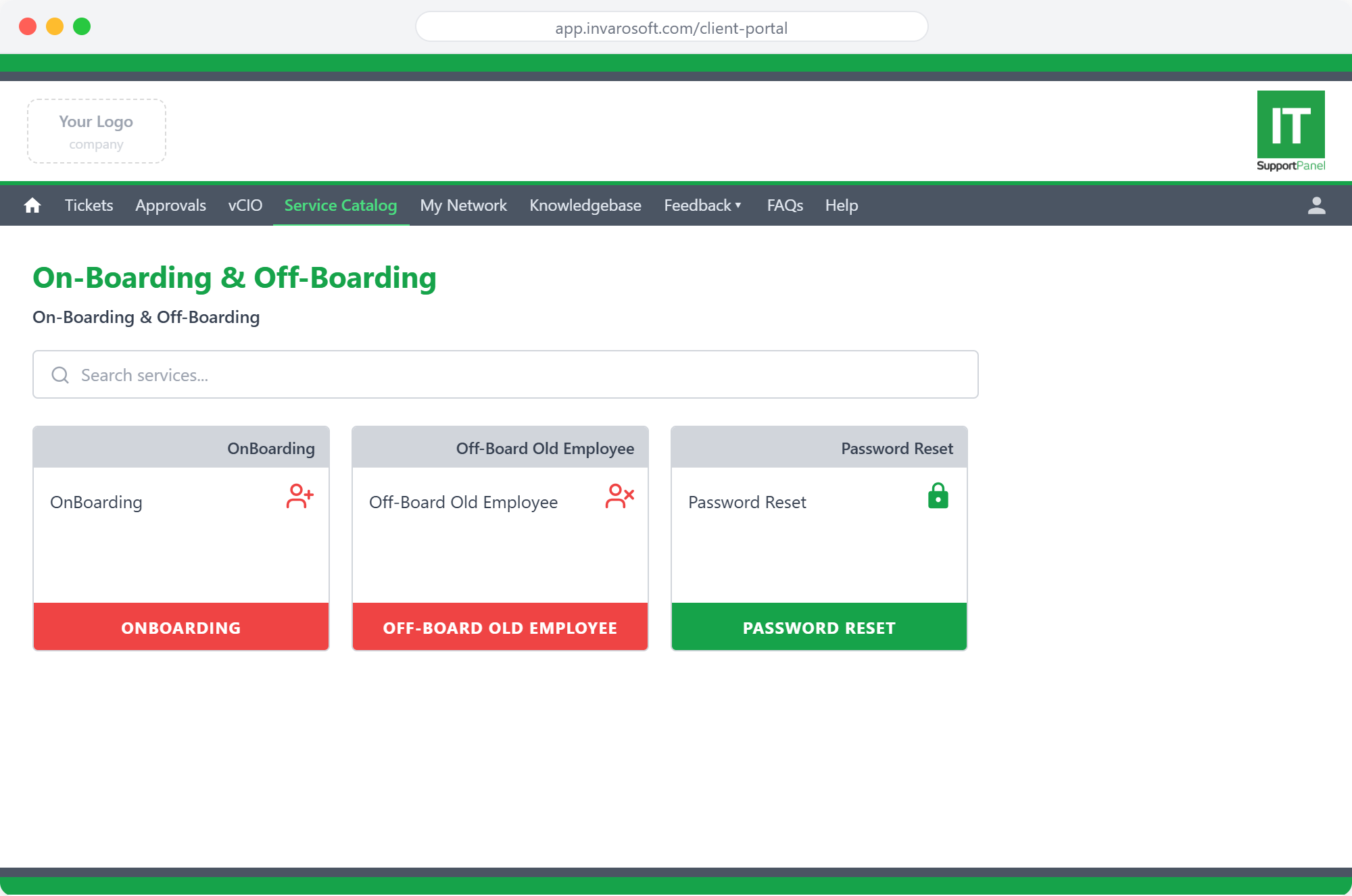
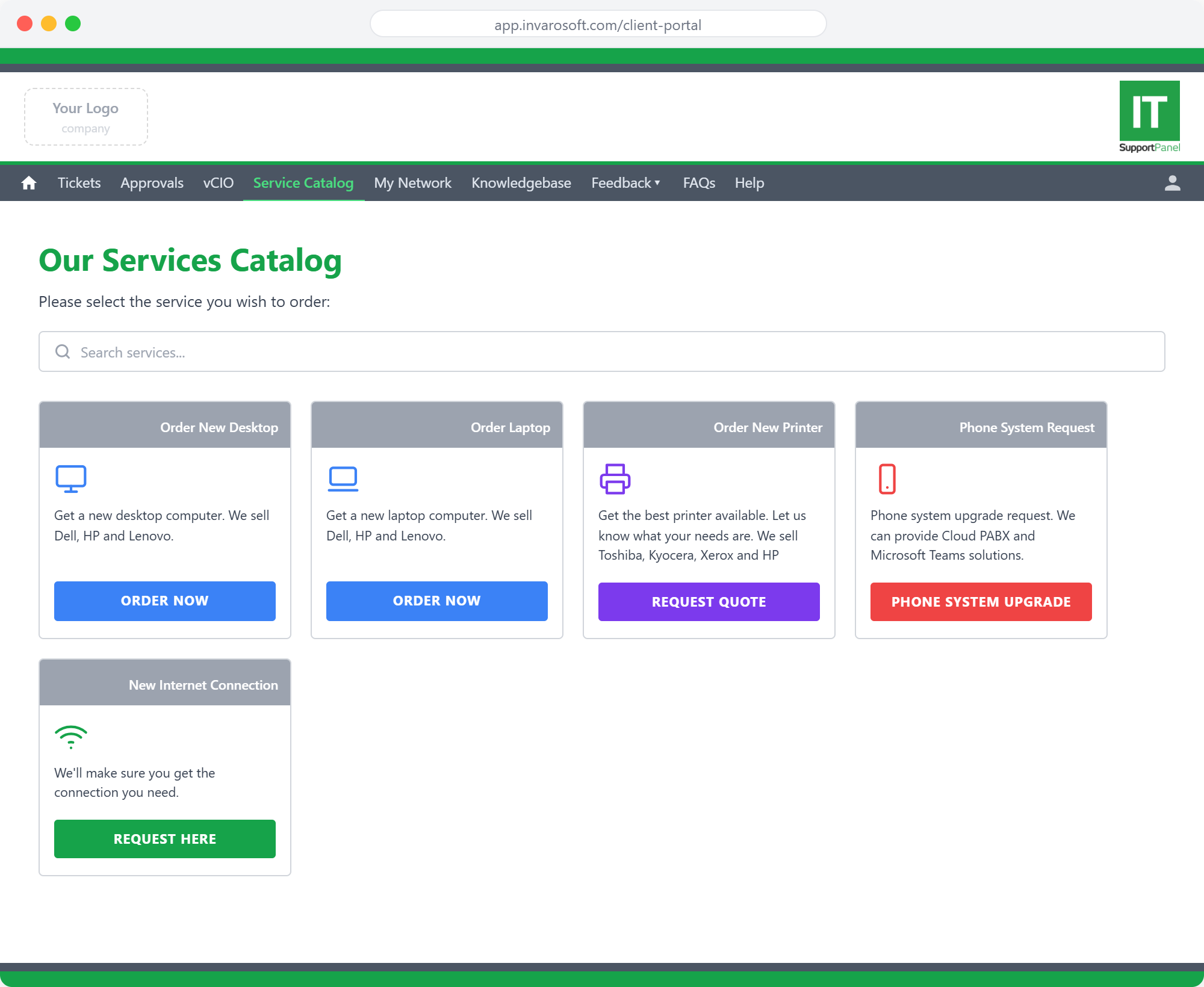
A branded service catalog that makes ordering IT services effortless
Invarosoft CX includes a fully customisable Service Catalog where you can publish any service your MSP offers — hardware orders, printer requests, internet connections, phone system upgrades, and more. Each service tile shows a clear description, icon, and branded call-to-action button. Clients browse and request services in seconds without picking up the phone. You control exactly what's on offer and how each request is routed — all managed from the admin portal.
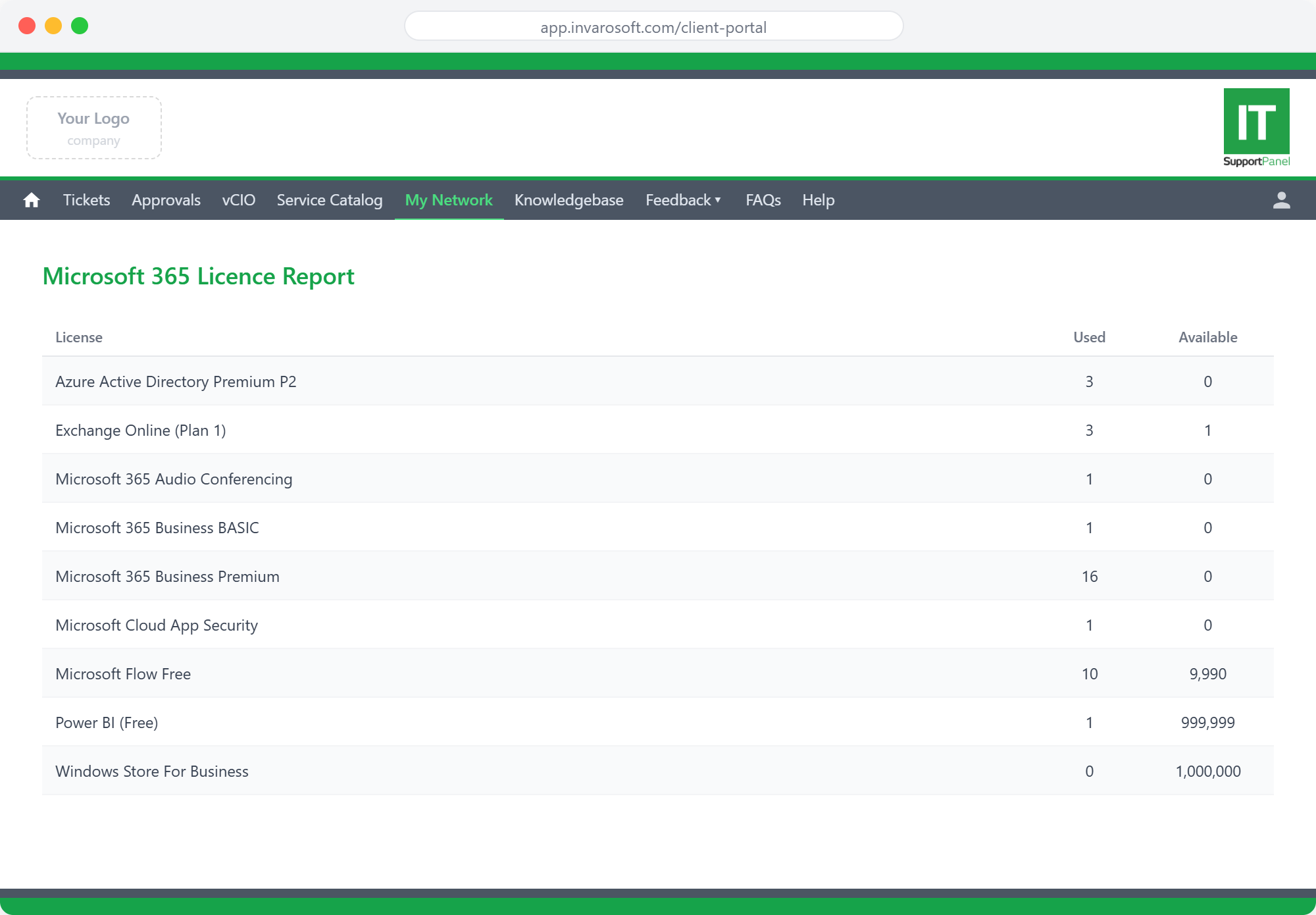
Give clients full visibility into their Microsoft 365 licences
Invarosoft CX pulls your clients' Microsoft 365 licence data directly into the portal. Clients can view their Licence Report — showing every licence type, how many are used, and how many remain available — alongside the Office365 User Report that maps every user to their active licences and account status. Fewer calls asking how many licences are left, full self-serve visibility for your clients, and a cleaner relationship for your team.
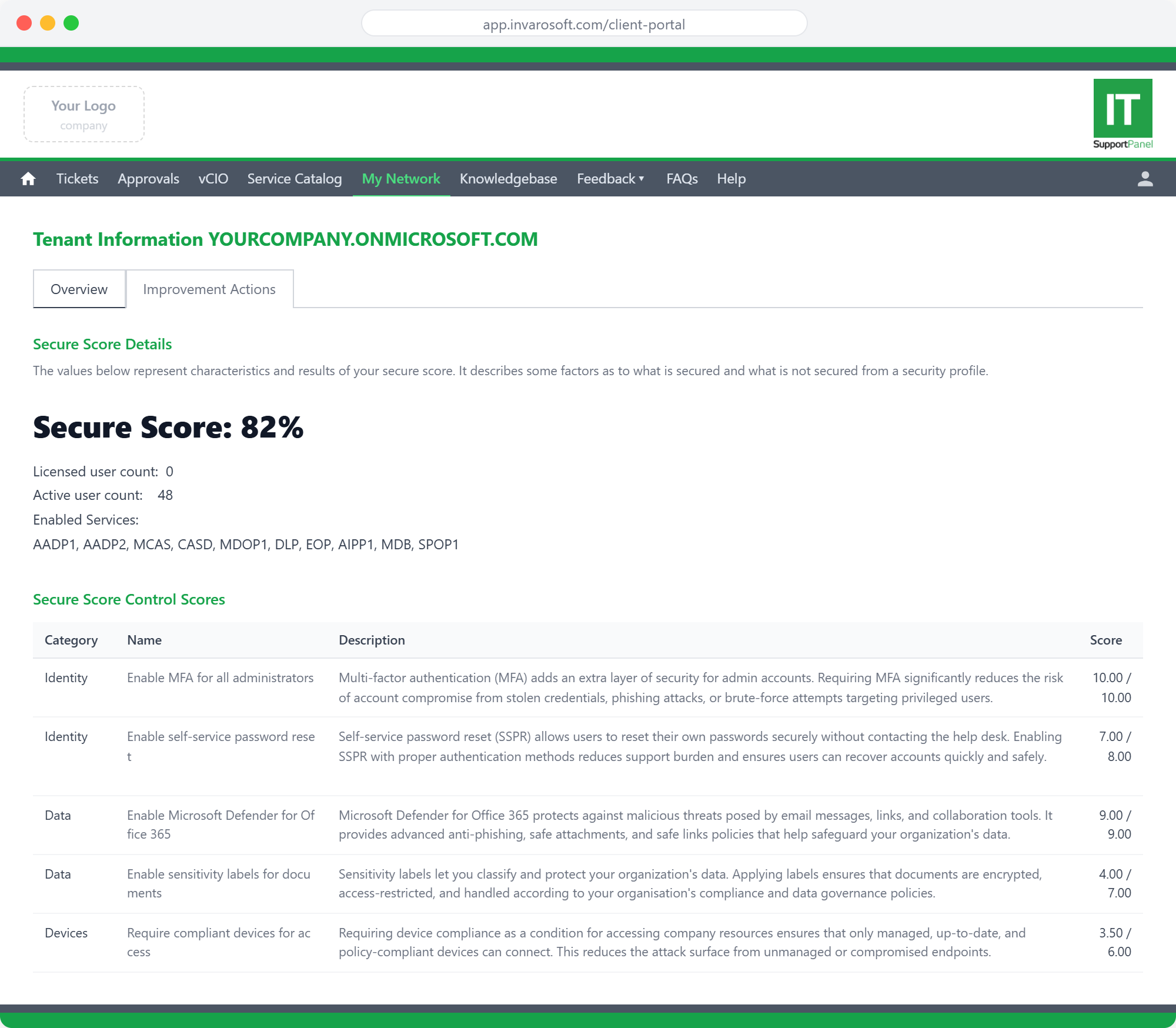
Show clients their Microsoft 365 Secure Score — and your security value
Invarosoft CX surfaces your clients' Microsoft 365 Secure Score directly inside the portal. Clients can see their overall score, enabled services, and drill into specific control scores across identity, data, and device categories — with clear descriptions of each control and the score achieved vs the maximum possible. It positions your MSP as the security partner actively driving their score upward, and makes your security work visible in a way clients can actually appreciate and reference.
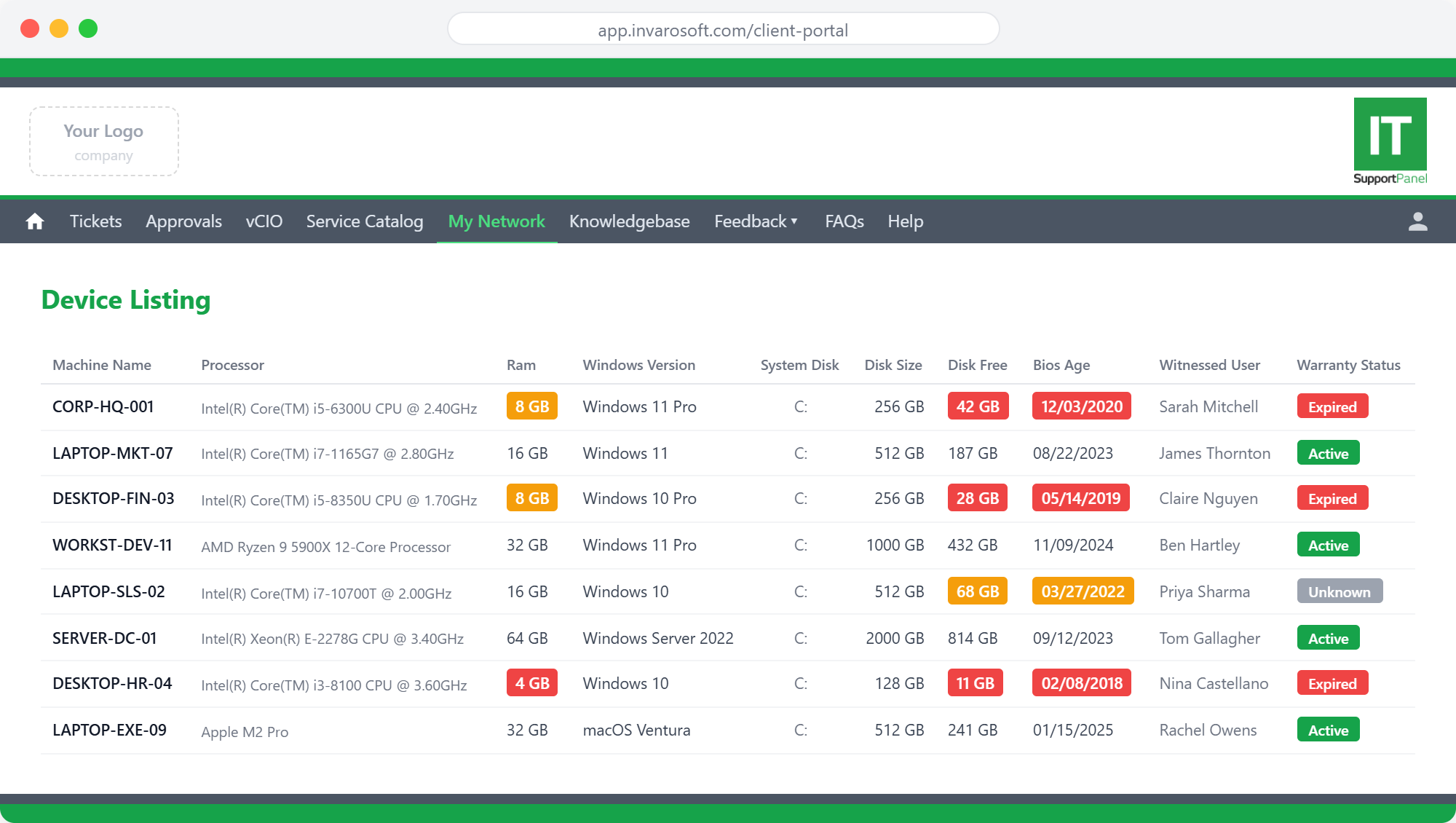
Your clients can see every device on their network — at a glance
Invarosoft CX's Device Listing gives clients a real-time view of every machine on their network — including processor specs, RAM, Windows version, system disk, disk size, free disk space, BIOS age, and warranty status. Machines with low disk space, ageing BIOS dates, or expired warranties are flagged automatically with colour-coded indicators. Clients get the transparency they want, and your team spends less time fielding 'what devices do we have?' enquiries.
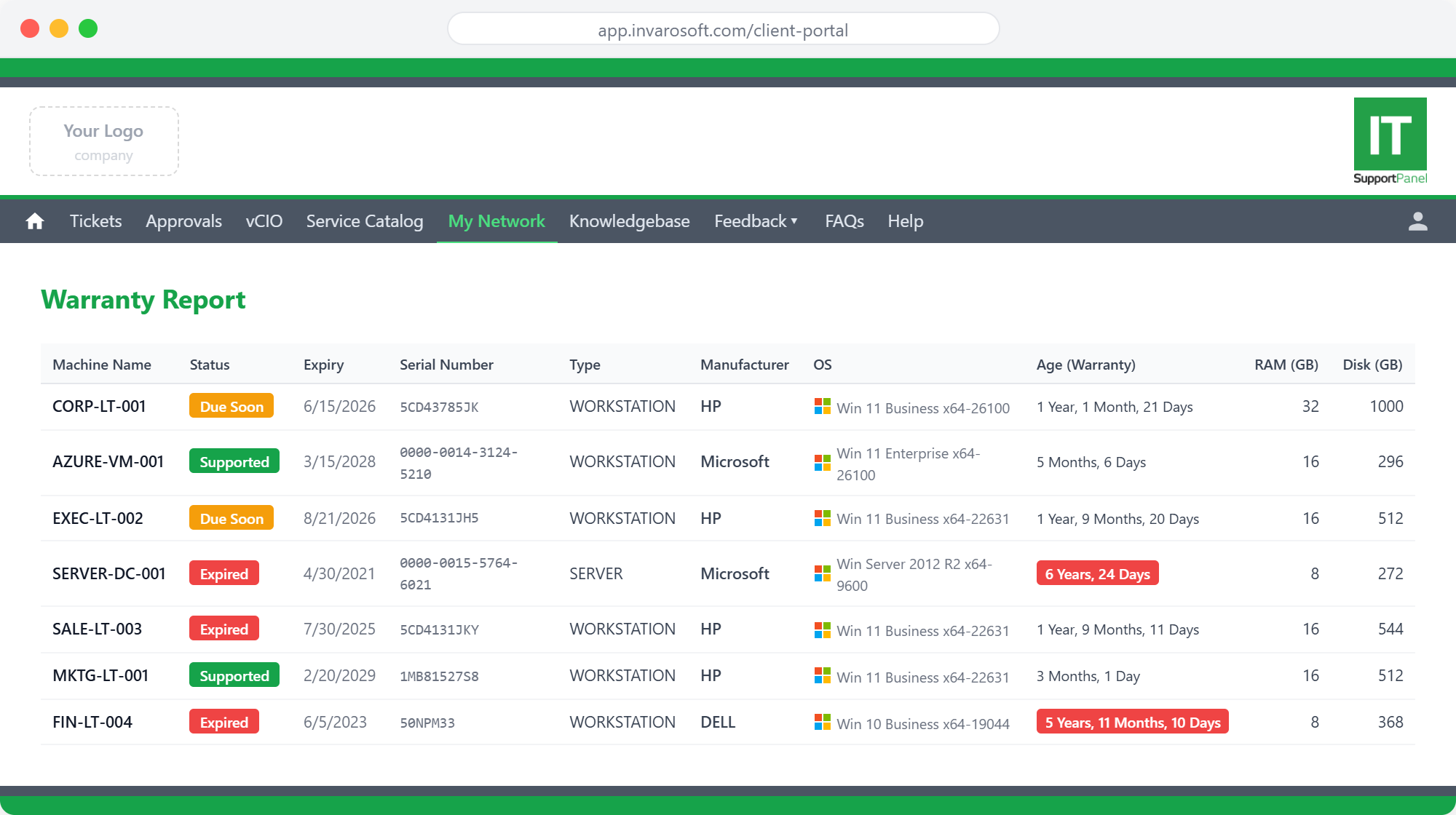
Clients see their full warranty status — without having to ask
Invarosoft CX integrates with Warranty Wizard to surface a live Warranty Report inside the client portal. Every device is listed with its warranty status (Supported, Due Soon, or Expired), expiry date, serial number, device type, manufacturer, OS, and age. Devices with expired warranties or upcoming renewals are highlighted clearly — giving clients full visibility, and giving you a natural, data-backed conversation starter for hardware refresh conversations.
How it works
Connect
Integrate with your existing IT stack in minutes.
Configure
Set your rules, templates, and automated workflows.
Automate
Let the platform run while you focus on growth.
Ready to try Invarosoft CX?
Start your free, fully functional trial today — no credit card required.